
Detailed Features
Explore the full range of Pvneo’s capabilities, from 3D site modeling to simulation, panel layout, proposals, and drone flight planning.
Roof & Site Editing
Model any roof or site by hand. Draw surfaces, set heights, add obstructions, and refine every detail on a precise 3D canvas.
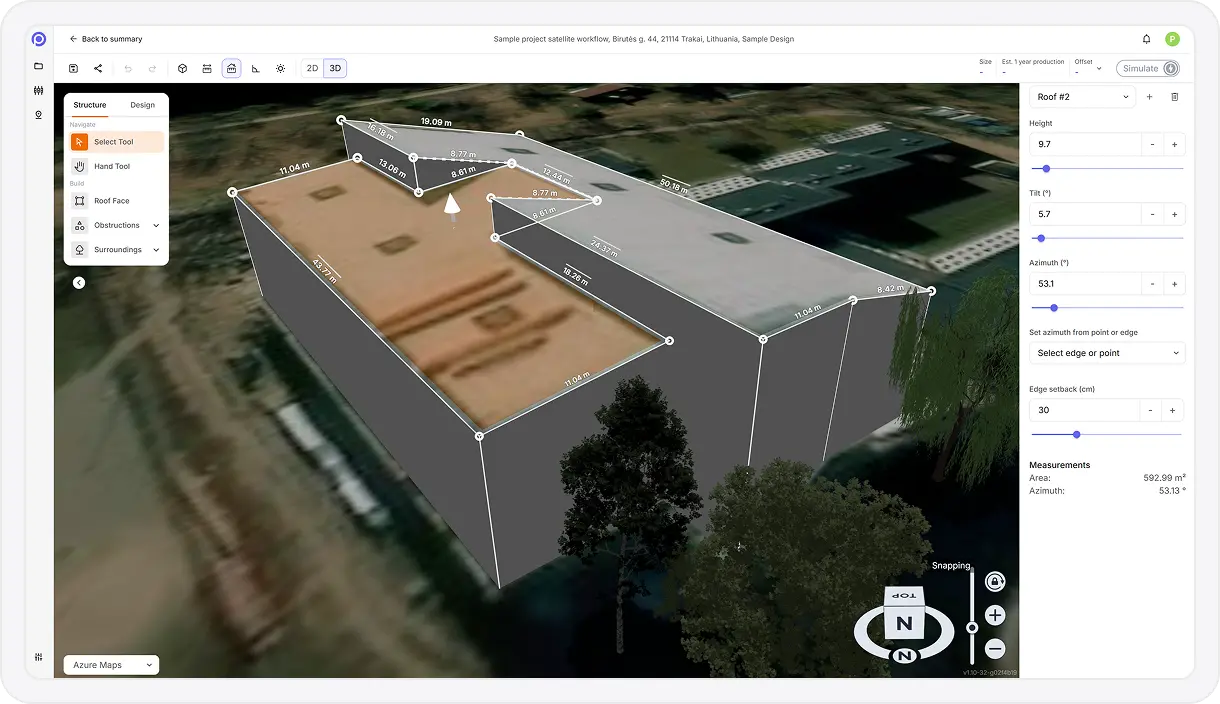
Interactive Polygon Drawing
Create polygons by drawing, adding, moving, or removing points to precisely define surfaces and zones.
Polygon Height & Elevation Control
Adjust individual polygon point elevations to accurately represent roofs, terrain, or stepped surfaces.
Extruded 3D Modeling
Give flat 2D outlines real height to create simple 3D objects for realistic spatial representation.
Custom Object Library
Place predefined objects such as trees, buildings, or generic obstacles directly into the model.
Precision Object Editing
Move, resize, rotate, and modify object dimensions with fine-grained control.
Copy & Paste Object Tools
Quickly duplicate or transfer objects using standard copy, cut, and paste actions.
Multi-Selection Editing
Select multiple objects or polygon points to edit them together for faster design workflows.
Real-Time Measurement Feedback
View live measurements for distances, areas, and angles while editing polygons and objects.
Multiple Polygon Management
Create and manage multiple independent polygons within a single project layout.
Undo & Redo History
Step backward or forward through editing actions without losing work.
Analysis & Simulation
See exactly how a site will perform. Pvneo simulates shading, irradiance, and energy production on your 3D model using real weather data.
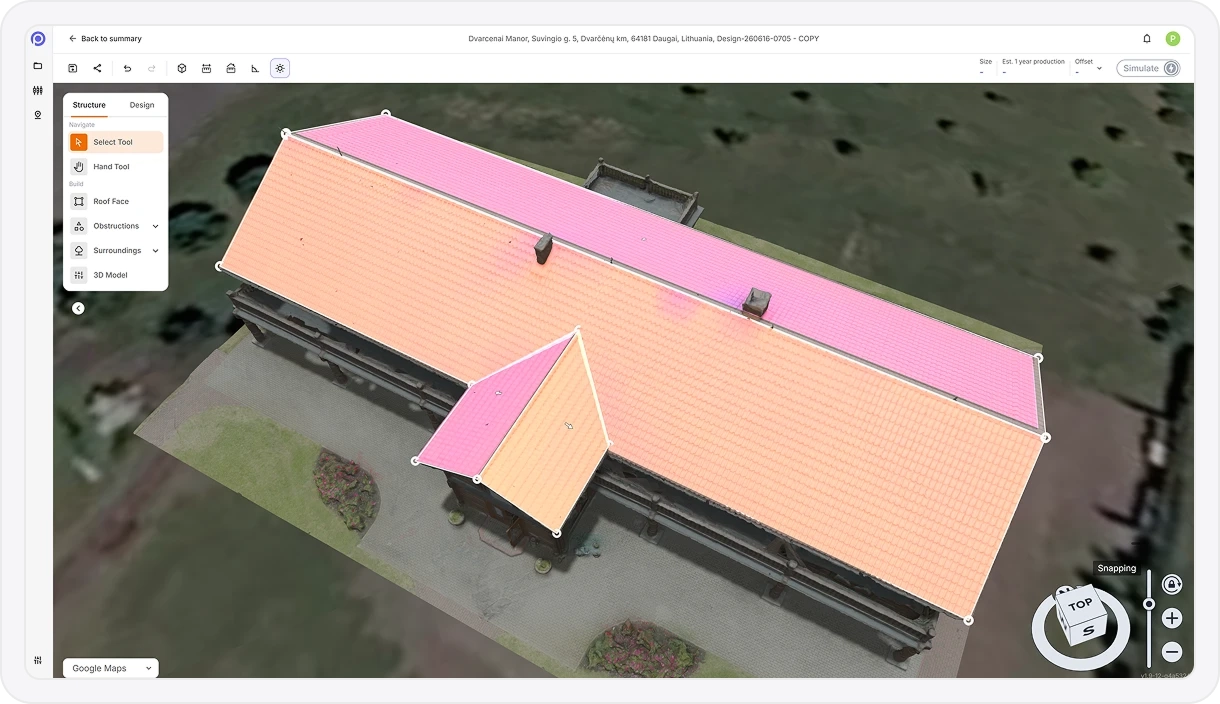
3D Shading Visualization
Simulate and visualize shadows cast by buildings, trees, and modeled site objects.
Solar Irradiance Data Integration
Incorporates solar irradiance and typical meteorological year (TMY) weather datasets for accurate modeling.
Irradiance Heat Maps
Visualize solar exposure across roof faces or ground areas to identify high-performance placement zones.
Energy Production Simulation
Estimate monthly and annual energy output based on system design, location, weather, and shading.
Consumption Offset Analysis
Calculate estimated energy offset using provided average monthly electricity consumption data.
Annual Energy Usage Overview
Display estimated or calculated annual energy usage for quick context and comparison.
Panel Layout
Lay out panels your way. Place them by hand or auto-fill an optimized layout, then fine-tune tilt, orientation, and grouping.
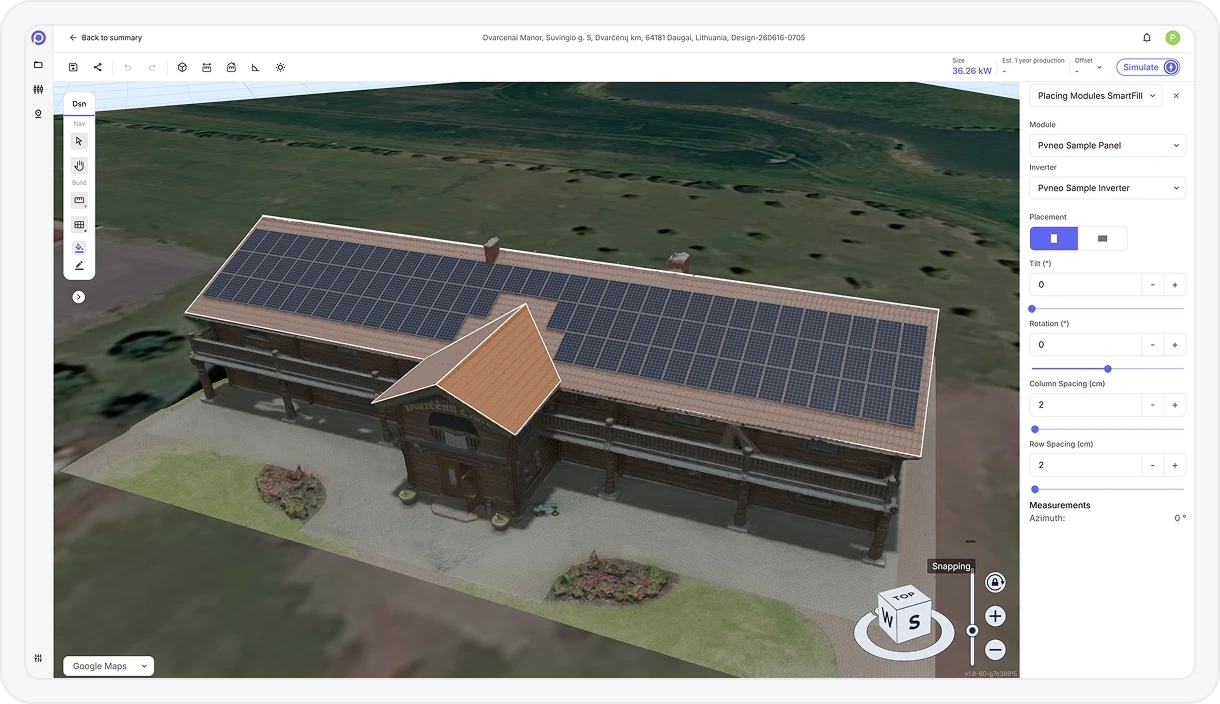
Manual Panel Placement
Place individual solar panels directly onto roof faces or ground areas with full control.
Custom Panel Specifications
Define the exact panel you use, including dimensions and electrical specs, and design with it.
Automated Panel Layout
Automatically fill selected areas with panels based on spacing rules, setbacks, and layout parameters.
Panel Orientation & Tilt Control
Adjust tilt and azimuth for individual panels or grouped selections.
Group Panel Editing
Modify multiple panels at once for faster layout refinement and consistency.
3D Layout Visualization
View panel layouts from multiple angles within the interactive 3D environment.
Solar Component Library
Build a library of the panels and inverters you work with and reuse them across projects.
Reporting & Proposals
Turn a finished design into a client-ready proposal, complete with production, savings, ROI, and an interactive 3D view to share.

Automated Proposal Generation
Turn a finished design into a complete, branded proposal in just a few clicks.
Visual Design Previews
Include clear visuals showing the roof or site with the proposed solar layout applied.
Energy Production Reporting
Present estimated monthly and annual electricity production in kWh.
Return on Investment Estimates
Calculate projected ROI based on system performance and energy savings.
System Size Summary
Display total system capacity in kilowatts (kW) for quick reference.
Performance vs. Consumption
Compare expected energy generation against household or site consumption.
Estimated Bill Savings
Show projected electricity cost savings based on modeled production and usage.
Energy Offset Percentage
Calculate and display the percentage of total energy demand offset by the system.
Shareable 3D Project Viewer
Generate a secure web link so clients or colleagues can open and explore the interactive 3D project in their browser. No account needed.
Photos to 3D Models
Upload drone photos and Pvneo rebuilds the site as an accurate, textured 3D model that’s ready to design on, with no manual modeling.
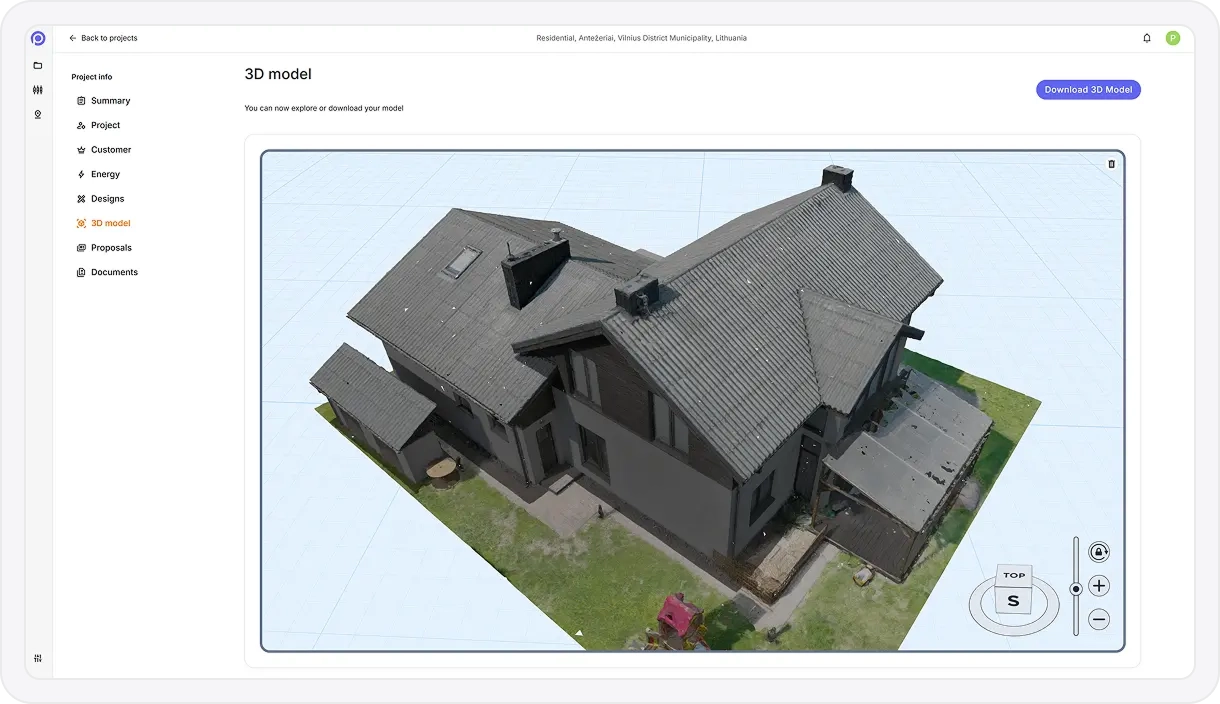
Drone & Camera Photo Upload
Upload aerial or ground-based photos captured with drones or standard cameras.
Automatic 3D Reconstruction
Photos are processed in the background to generate a complete 3D site model without manual modeling.
Dense 3D Mesh Generation
Creates a detailed surface mesh that accurately represents roofs, terrain, and surrounding structures.
High-Resolution Texture Mapping
Applies photorealistic textures to the 3D mesh for visual clarity and realistic context.
Roof & Terrain Geometry Capture
Accurately reconstructs roof planes, slopes, edges, and ground contours from image data.
Scale & Alignment Accuracy
Models are generated at real-world scale to support precise measurements and system design.
Model Quality Optimization
Processing optimizes mesh density and texture resolution for performance and usability.
Ready-to-Design Base Model
Generated 3D models can be used directly for panel placement, shading analysis, and energy simulations.
Minimal User Input Workflow
No manual stitching or calibration required — upload photos and receive a usable 3D model.
Supports Complex Sites
Handles irregular roofs, multi-level structures, and surrounding obstructions captured in photos.
Pvneo Waypoints
Plan and export drone flight missions that capture everything you need for accurate 3D reconstruction.
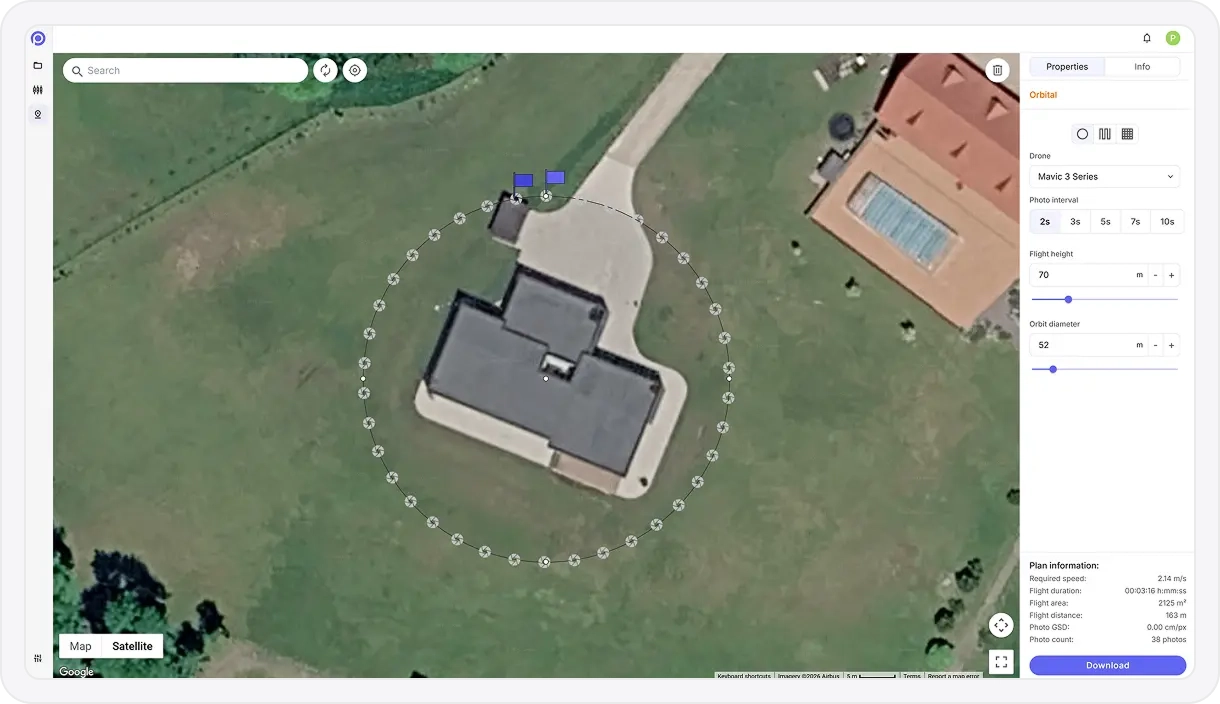
Waypoint Mission Generator
Create fully defined waypoint missions that can be flown directly in DJI Fly using Pvneo’s export workflow.
Polygon-Based Area Planning
Draw exact survey boundaries on the map to control coverage and eliminate wasted flight time.
Single-Grid Mapping Flights
Generate nadir grid missions optimized for orthomosaics, terrain models, and roof inspections.
Multi-Grid Oblique Capture
Automatically create four-direction oblique waypoint grids for higher-quality 3D reconstruction.
Orbit / Circular Missions
Plan precise circular waypoint paths around a subject without relying on live POI tracking.
Altitude & Camera Angle Control
Define flight height and gimbal angle (nadir to steep oblique) to match mapping or modeling needs.
Overlap-Driven Path Logic
Flight spacing and speed are calculated to maintain consistent image overlap across the mission.
Height Offset Compensation
Account for elevation differences between takeoff point and target surface to preserve overlap accuracy.
Flight Path Preview
Visualize the full waypoint route on the map before exporting, including direction and coverage.
DJI Fly Mission Export
Export missions as DJI Fly–compatible waypoint files for supported consumer drones.
Re-Fly & Repeatability
Reuse the same waypoint mission for progress tracking, inspections, or time-series documentation.
Large-Area / Multi-Battery Workflow
Designed to work with DJI Fly’s resume-from-waypoint feature for long or segmented missions.
From inquiry to proposal in few easy steps
Design solar systems faster with smart 3D workflows and proposal tools.
Select 3D Workflow. Start from satellite imagery, photogrammetry, or custom model import.
Design the Layout. Place solar panels, obstructions, and surroundings with precision.
Run Simulations. Run accurate irradiance and performance simulations to forecast energy output.
Generate Proposal. Generate a professional, branded proposal in just a few clicks.
Deliver Proposal. Share an interactive proposal with your clients through a single link.